Run the store from delivery to checkout
Keep products, purchasing, stock and counter sales connected. Datrylo brings retail operations together so staff can serve customers and managers can follow the work behind every sale.
Two kits sold; one kit returned
See how the workflow connects people, records and decisions.
Two kits sold; one kit returned| Step | Owner, record and exception |
|---|
| 1 | Cashier builds a basket of 2 kits at 5,000 IQD and 1 clamp at 10,000: total 20,000. |
|---|
| 2 | The completed example cash sale keeps the three units and 20,000 total in paid-order history. The receipt action stays with that order. |
|---|
| 3 | The customer returns 1 kit. Cashier selects it from the original sale; the linked return is −5,000, leaving net example cash 15,000. |
|---|
What belongs in the rollout
From a counter basket to a one-item return
An example basket contains two workshop kits at IQD 5,000 each and one clamp at IQD 10,000. The IQD 20,000 sale is recorded with demonstration cash. One kit is then selected from that paid order and returned for IQD 5,000.
Explore Datrylo in action. Select an image for a closer look.
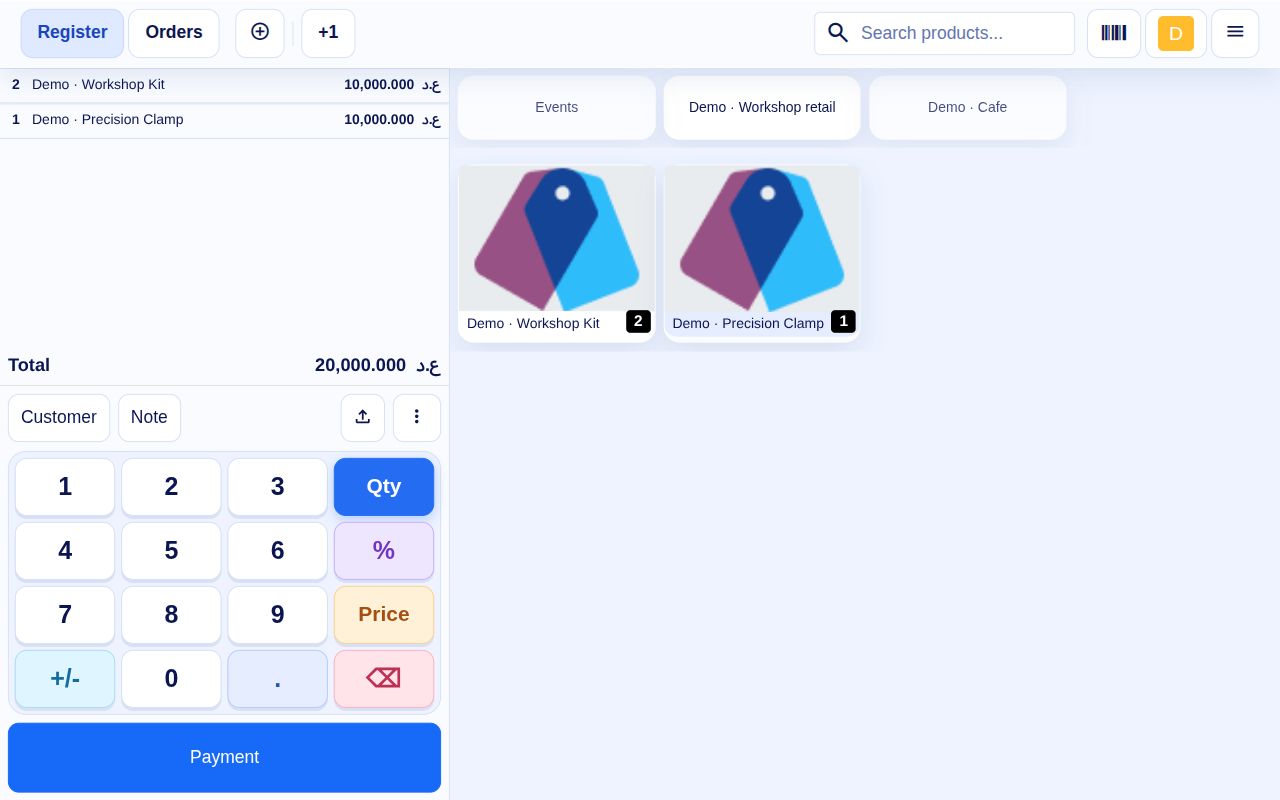
1. Select products and inspect the basket
The selling screen shows the two products, quantities and total together.
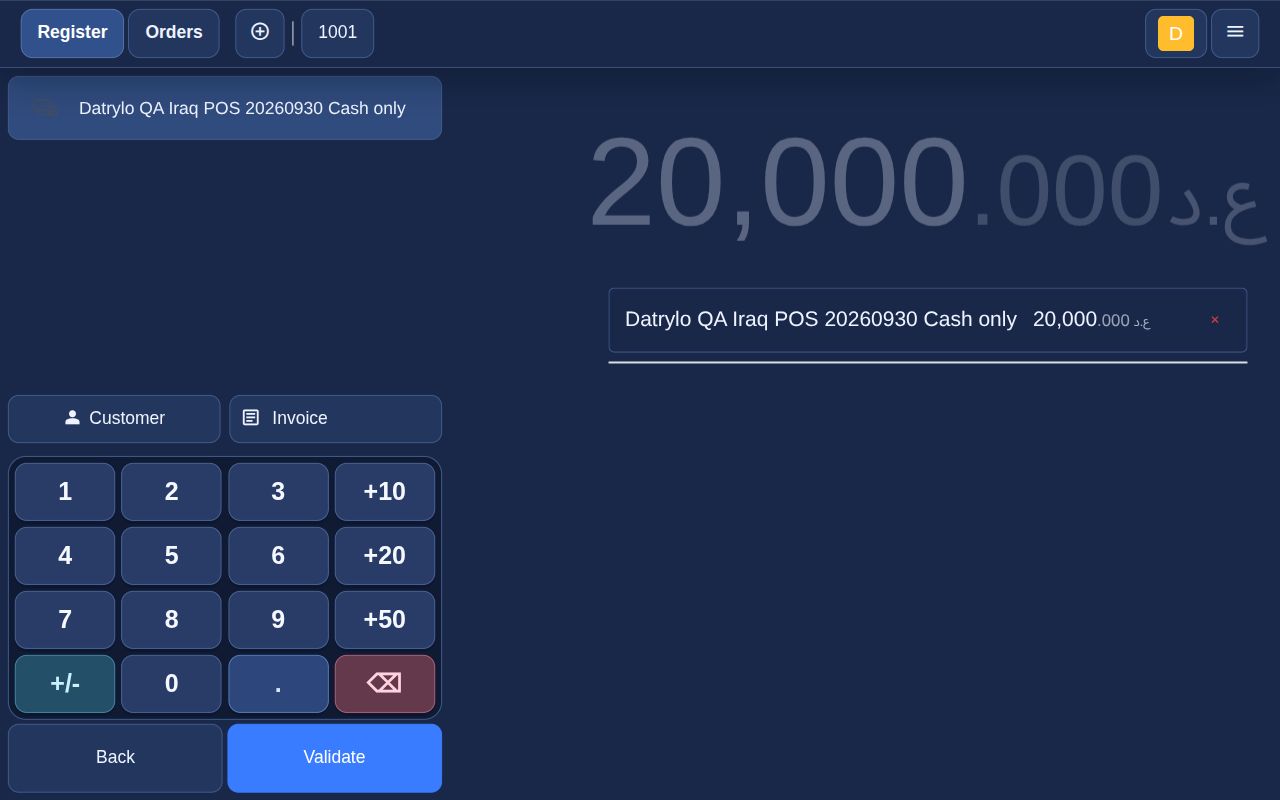
2. Record demonstration cash
The cashier selects the configured cash method and validates IQD 20,000.
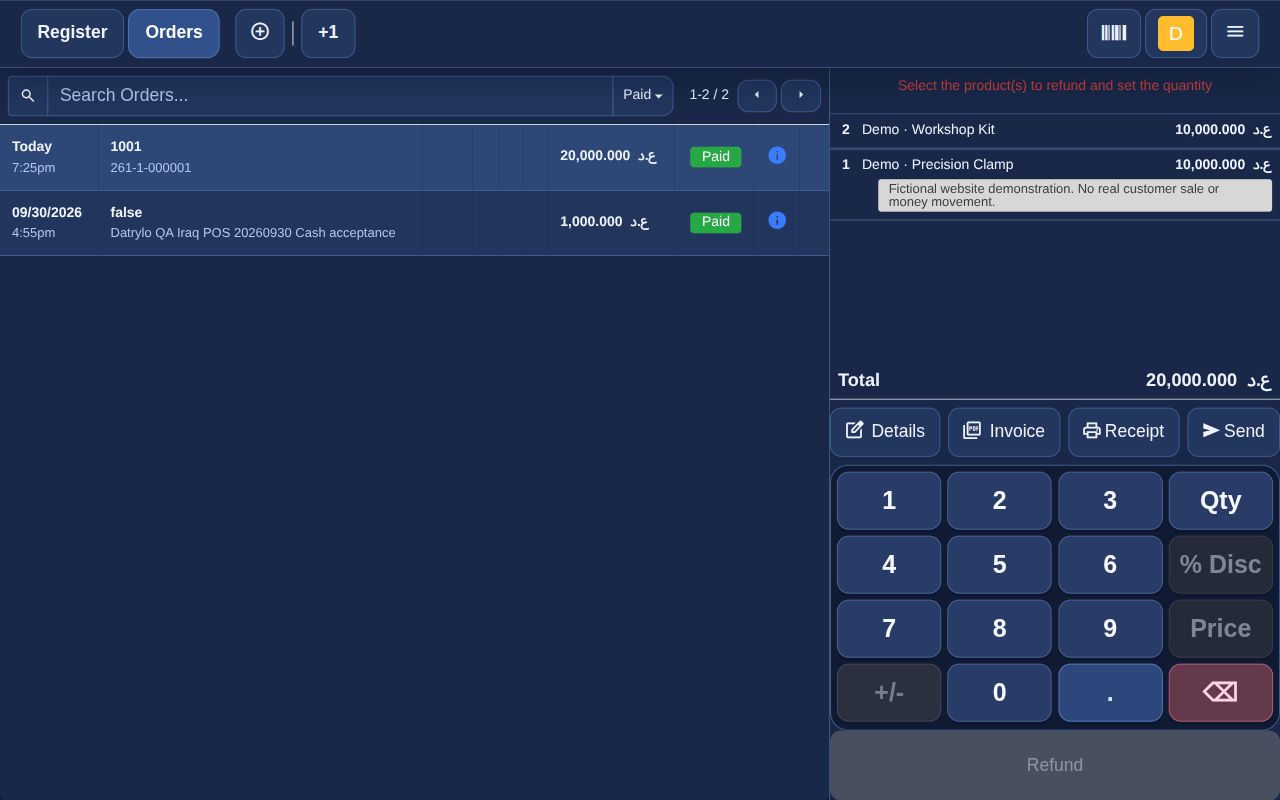
3. Review the paid order and receipt fields
The paid order retains two kits (IQD 10,000), one clamp (IQD 10,000) and total IQD 20,000, with a native Receipt action.
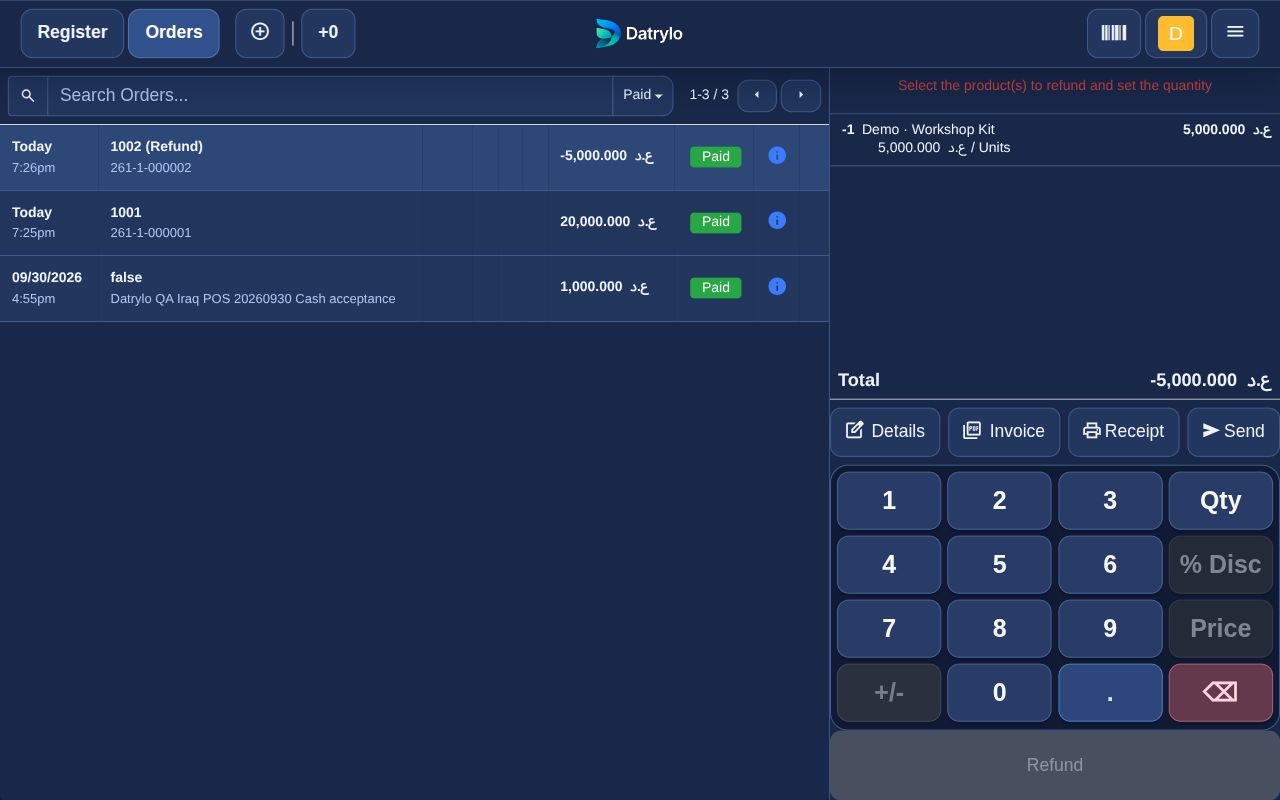
4. Return one kit from the original sale
Selecting one of the two sold kits creates a linked return. Paid history shows quantity −1 and total −IQD 5,000. The original sale stays in history; the example cash balance is reduced by the return.
Demonstration receipt values
Editable transcription of the paid-order values, rather than a paper-receipt image: 2 × kit at IQD 5,000 = IQD 10,000; 1 × clamp at IQD 10,000 = IQD 10,000; total and simulated cash IQD 20,000. No tax was configured for these example products. The later one-kit return is a separate −IQD 5,000 record. Receipt layout, fiscal requirements and physical printing must be agreed for the store.
Get the right products ready to sell
Create a shared product catalogue, organise categories and prices, place supplier orders and receive the quantities that arrive. Inventory and Purchasing keep the incoming side of retail visible.
Keep the counter moving
Use Retail POS to select items, record payments and issue receipts. Review sessions and recorded orders, with customer and product information connected to the wider business.
Follow the store beyond the sale
Track stock movements and returns, review sales records and prepare the next purchase. Configure store roles and the devices your team will use as part of implementation.
Add what makes your retail business different
Explore the connected workflow
A smooth checkout. A connected store.
Keep the counter moving with Datrylo Point of Sale. Select products, record payments and issue receipts while the wider business stays connected to sales and stock records.
Bring the exception to your workflow review
Agree barcode references, stock location, cashier rights and the return reason. Set taxes and receipt seller details for the store.