Import and export: preserve meaning, not only rows
Bring your contacts into Datrylo with field mapping, validation and a clear view of the imported records.
Source CSV → field mapping → correction → two contacts
Bring your contacts into Datrylo with field mapping, validation and a clear view of the imported records.
Source CSV → field mapping → correction → two contacts| Workflow step | What you can see |
|---|
| Rejected Row B | Demo · Import row B / import-b@datrylo.invalid / not-an-id |
|---|
| Corrected Row B | Demo · Import row B / import-b@datrylo.invalid / 2 |
|---|
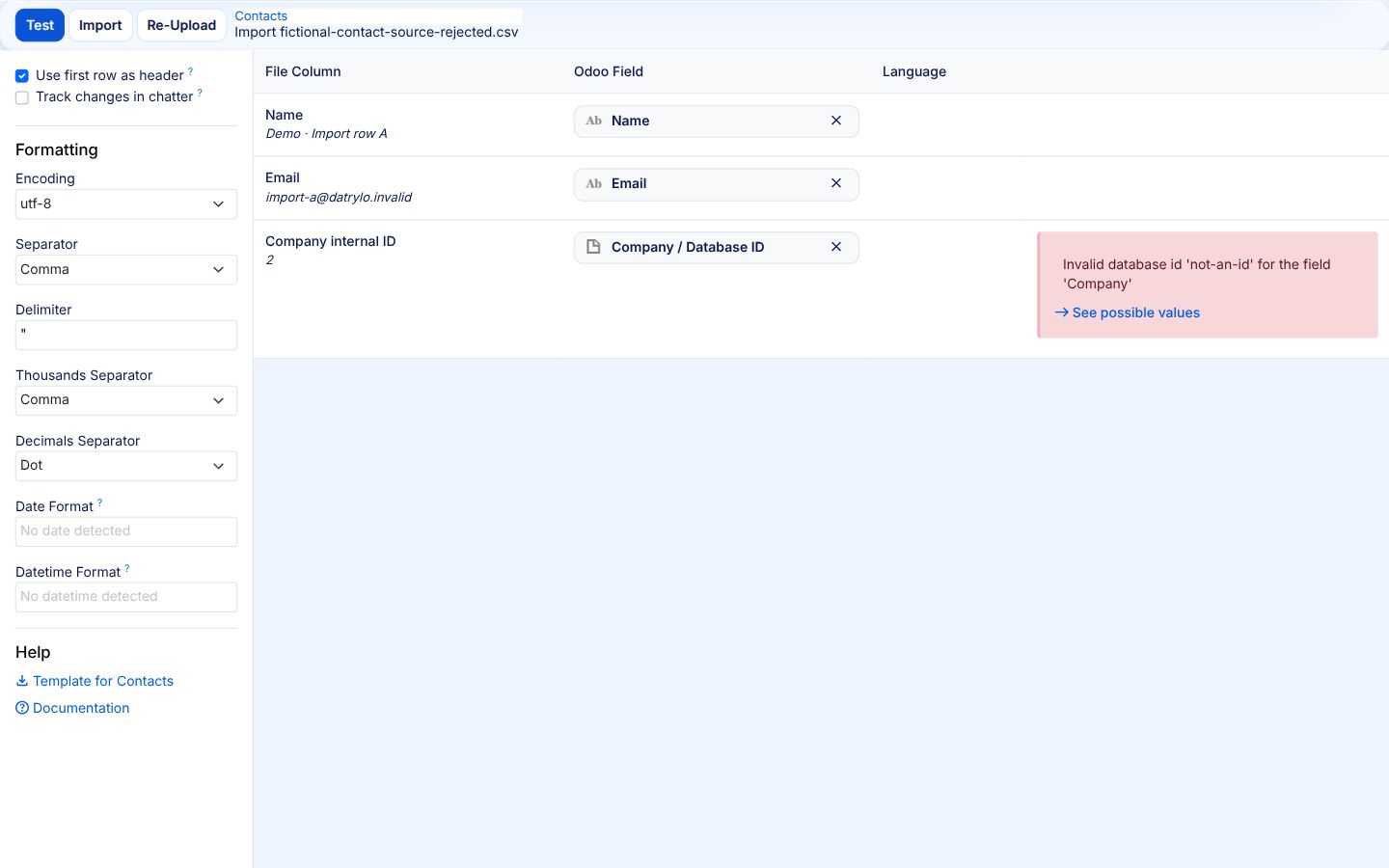
1 · Mapped source and rejected reference
Name → Name; Email → Email; Company internal ID → Company / Database ID. Row B contains not-an-id. Native Test rejects that company reference. The test creates no contacts.
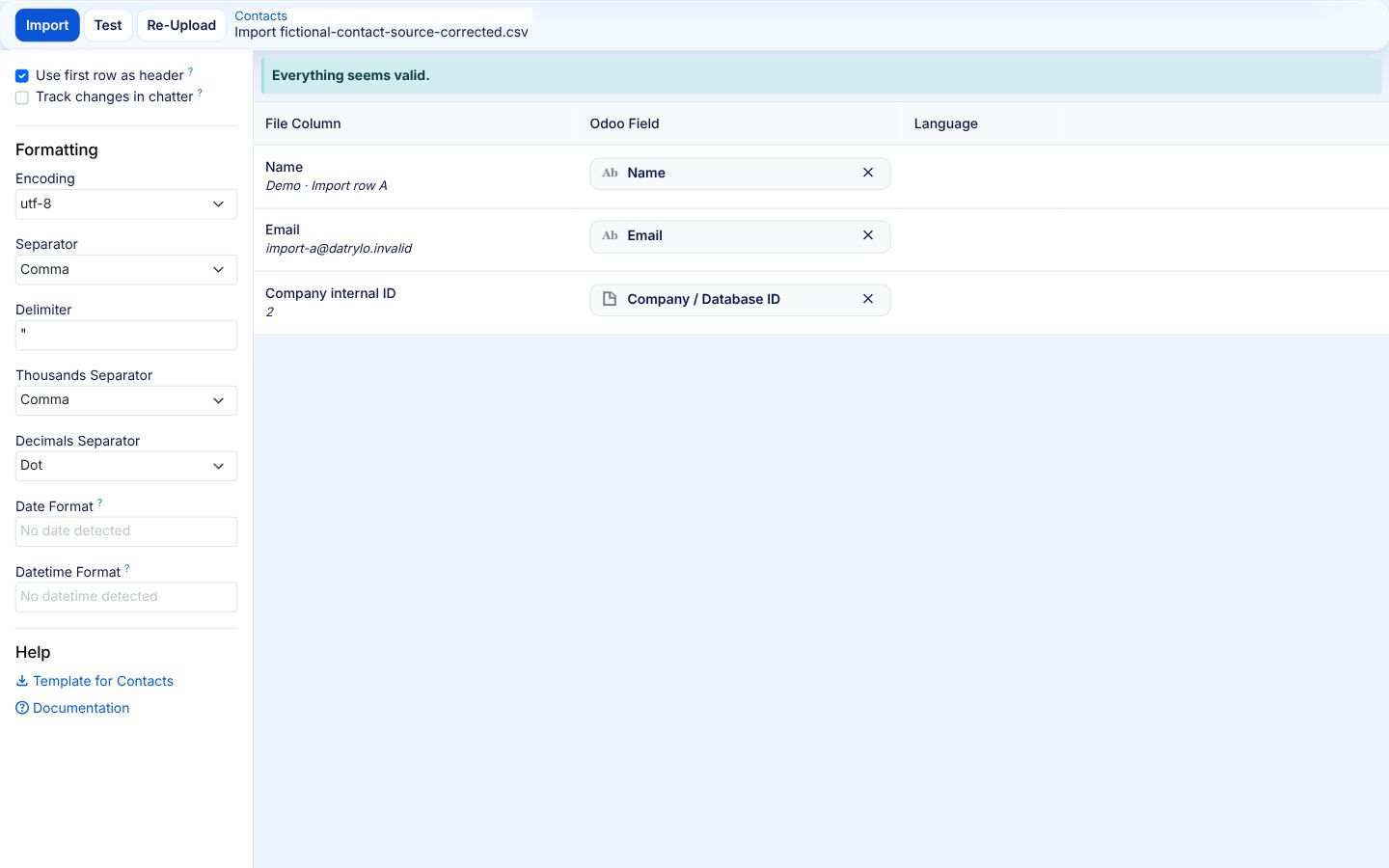
2 · Corrected company reference passes Test
Correct a mapping issue and validate again before importing, so records arrive under the right company.
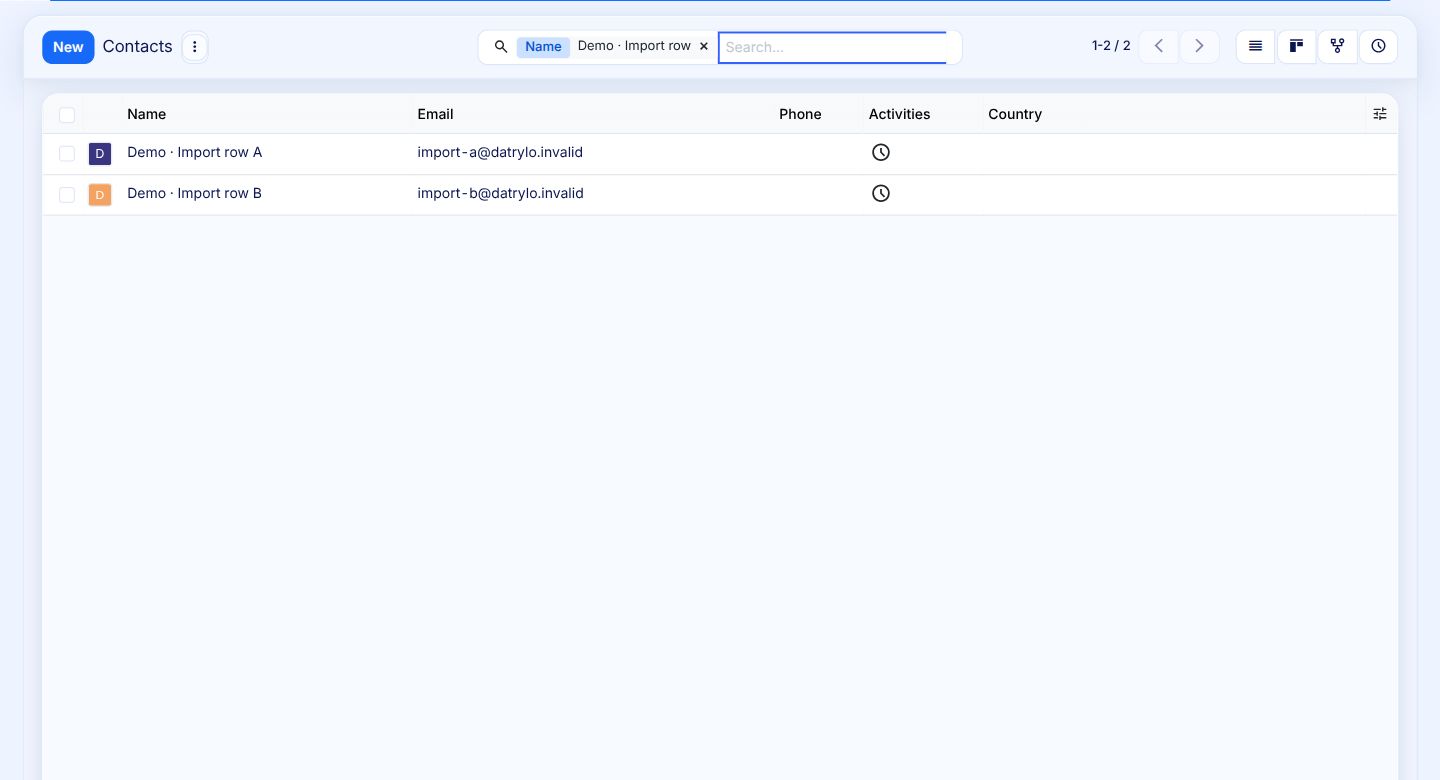
3 · Two actual resulting records
Imported contacts appear in your Contacts workspace, ready for your team to review and use.