Barcode Readiness
Use one example product label and a browser lookup worksheet before agreeing physical scanner acceptance.
Test the label, lookup, unit and return
Use one example product label and a browser lookup worksheet before agreeing physical scanner acceptance.
Test the label, lookup, unit and return| Workflow step | What you can see |
|---|
| Label → known lookup | 2000000000243 → DEMO-SHOW-01 → 1 Unit → 5,000 IQD; unpaid test |
|---|
| Unknown → safe exception | No match; resolve mapping; no checkout |
|---|
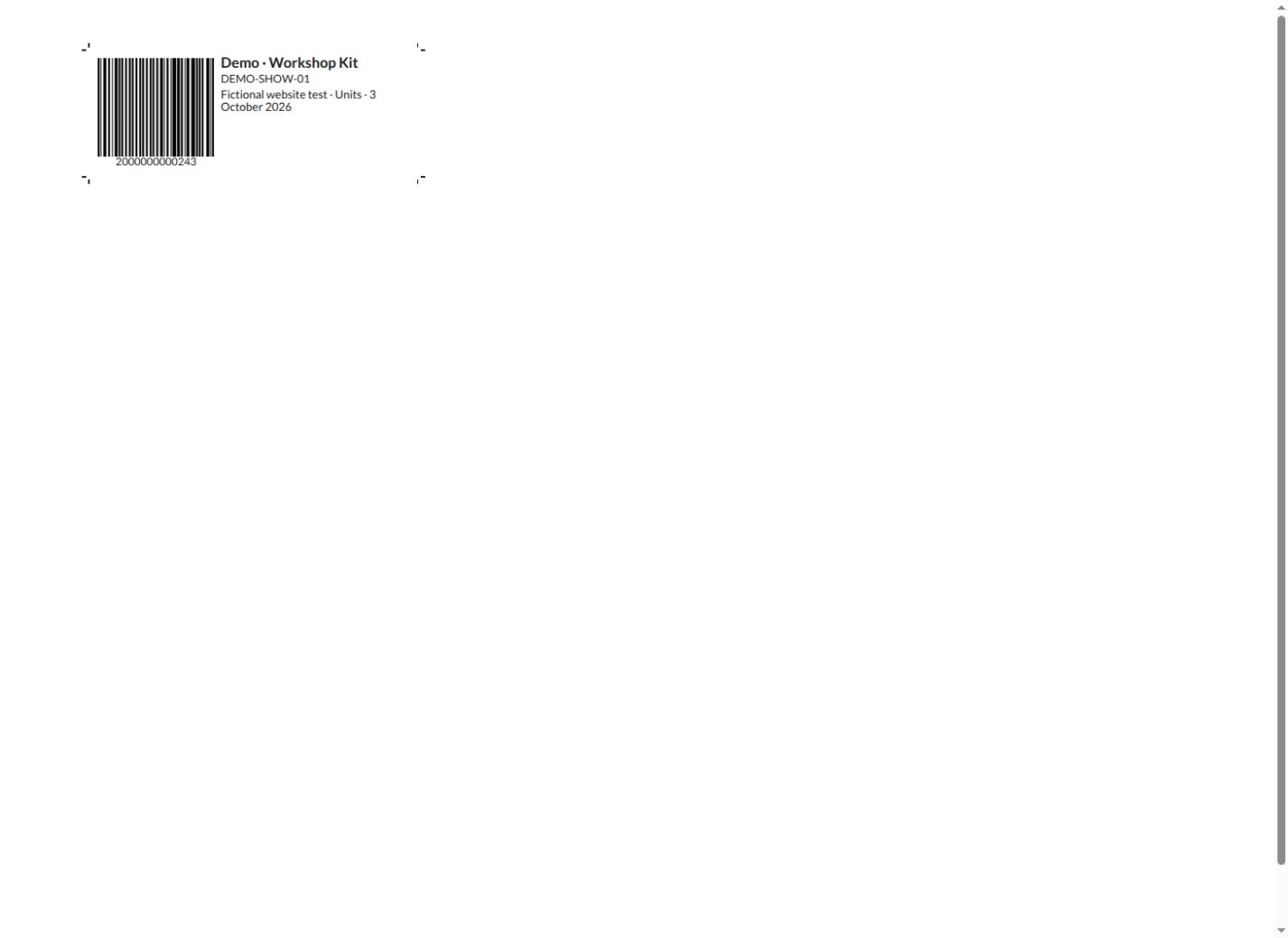
1 · Native product label
Generate a product label with its barcode and reference, then use the same item identity in your stock workflow.
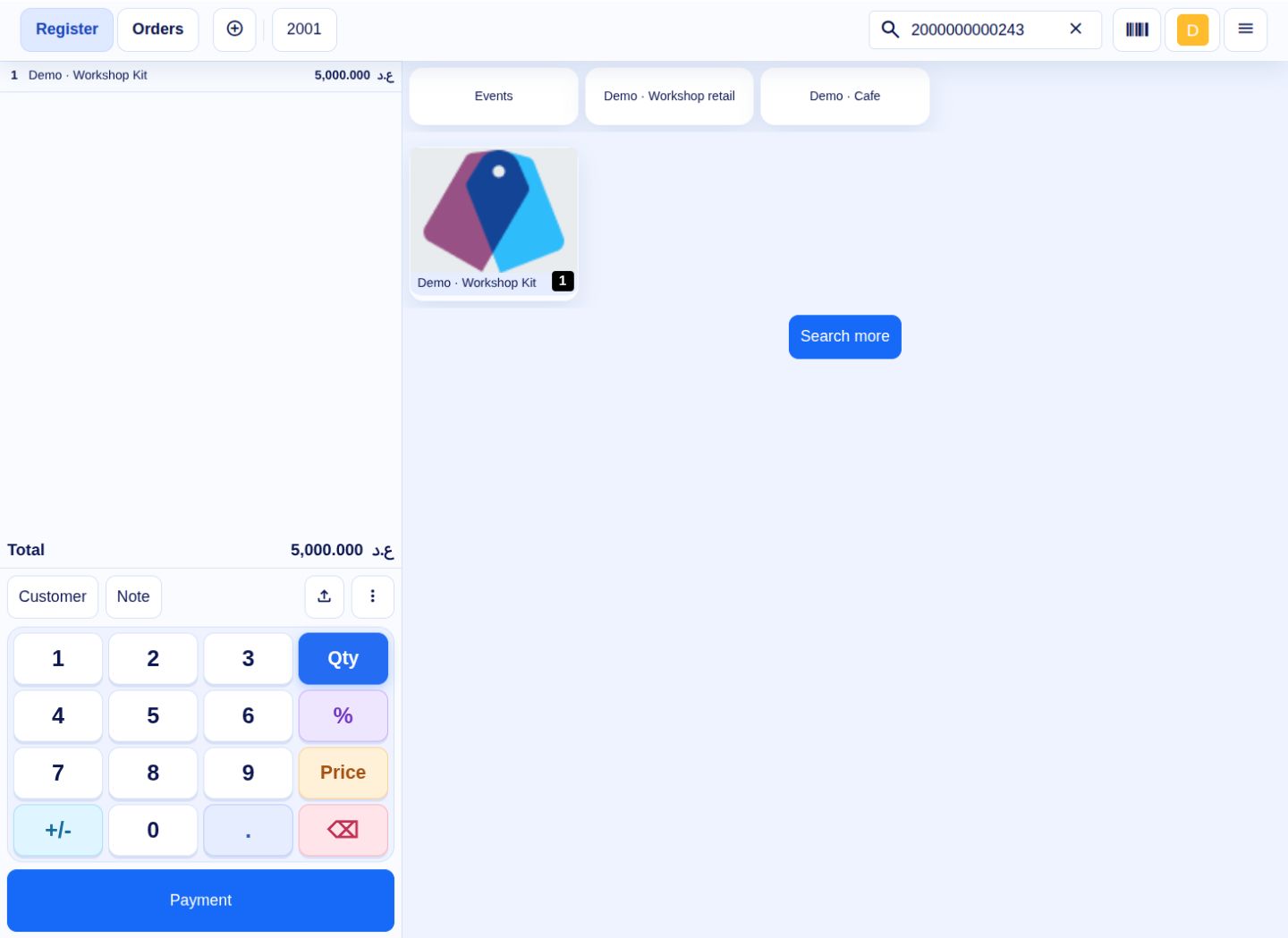
2 · Known code and correct unit
Typing the configured barcode in native POS search returns the kit alone. Selecting it creates one unit at 5,000 IQD; this test line was reduced to zero without checkout. Typed lookup is not a physical scanner test.
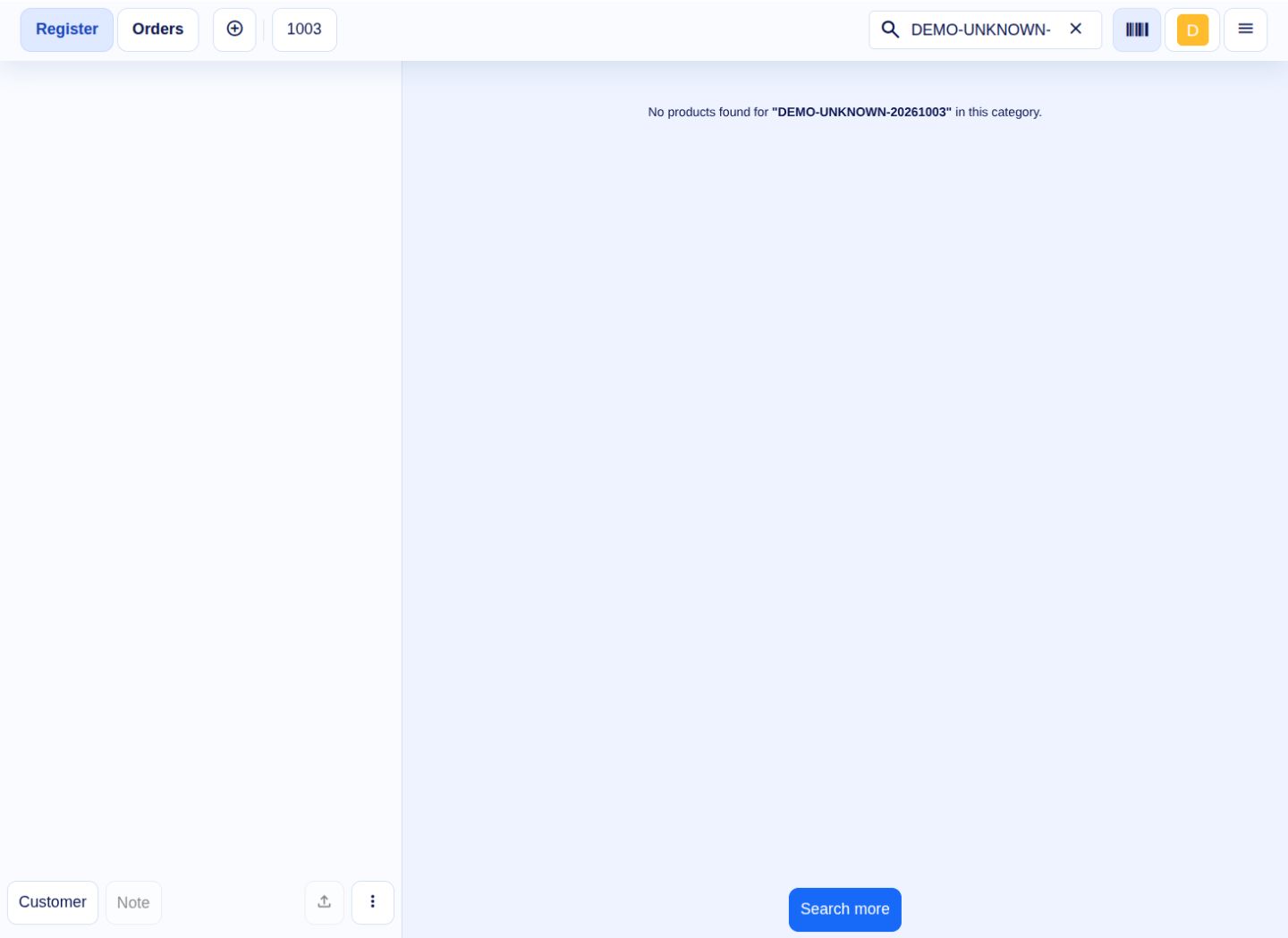
3 · Unknown code produces no match
DEMO-UNKNOWN-20261003 returns No products found. No placeholder product or stock movement is created. Stop and resolve the product/code/unit mapping before taking payment.
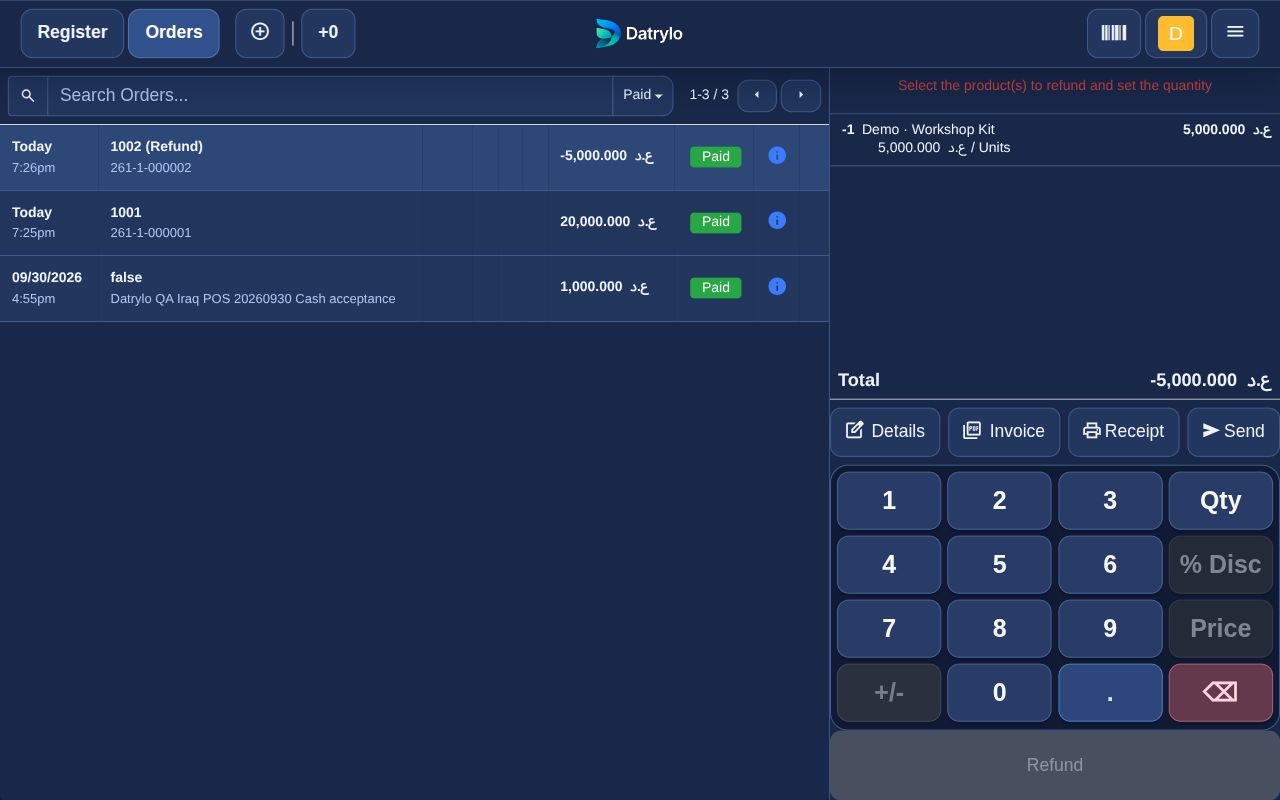
4 · Return retains the original unit
The earlier actual one-kit native return links sale line 4 and records −1 unit, −5,000 IQD. It tests the return record; a scan during return and a carton conversion were not performed.
Choose a scanner and label format that fit your daily work. Our team can help plan product lookup, receiving and returns around your devices.